AI-Assisted CQL Development
Bring your own large language model (LLM) with Ollama or any OpenAI-compatible endpoint to run models on local hardware or a supported vendor and draft and maintain CQL with AI-driven VSAC research, compiler diagnostics, and file attachments.
Note: Research and access credentials are saved in the CQL Studio Server database.
Use your own deployment to comply with security best practices.
Always follow applicable security and AI policies and consider AI risks.
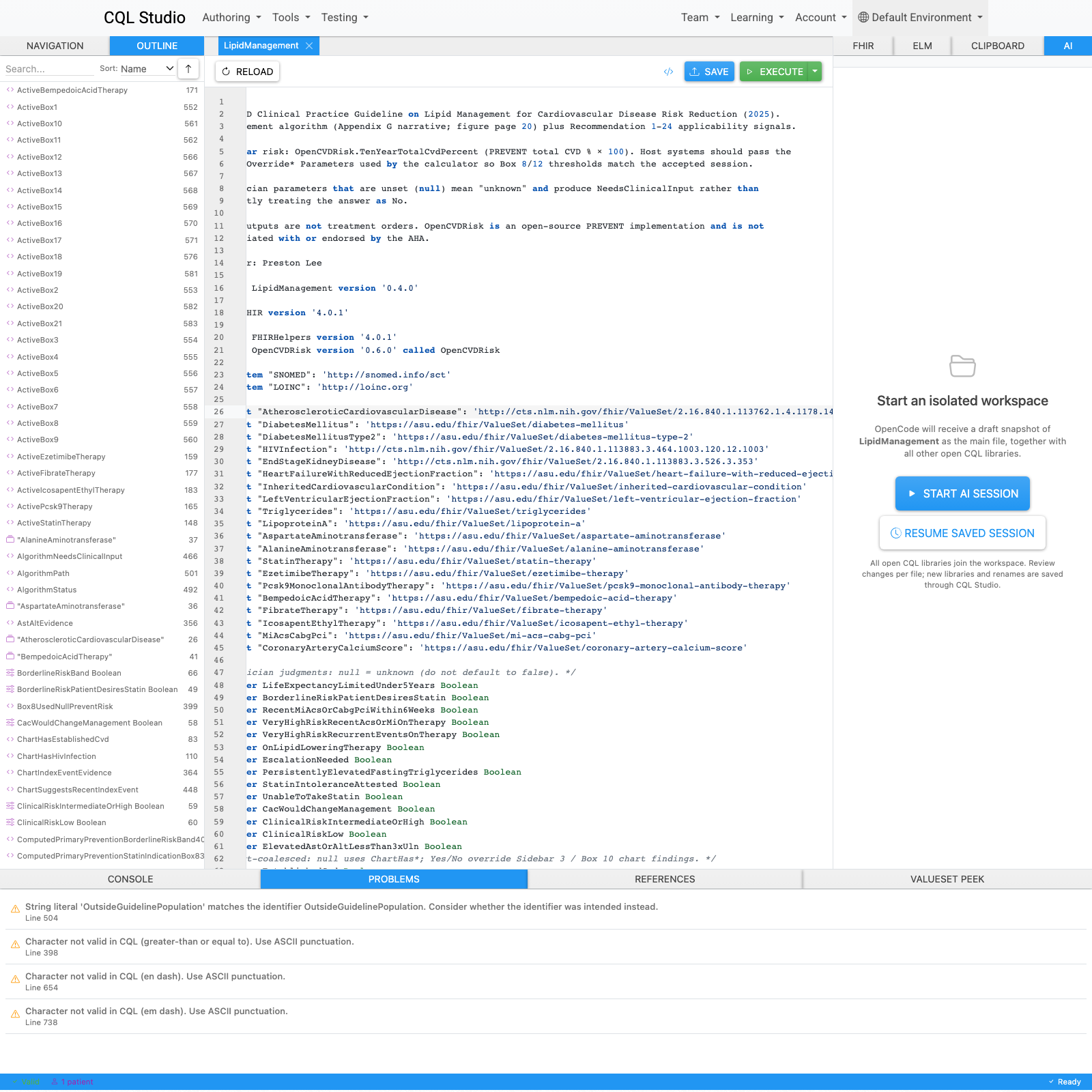
What the IDE AI can do
Draft new CQL
Describe the clinical logic you need in natural language. The assistant authors CQL against your open libraries—including FHIRHelpers—and can create or rename libraries when you approve.
Revise existing libraries
Ask for refactors, clarifications, or targeted edits. Changes arrive as reviewable per-file diffs you can apply, discard, revert, or save back to FHIR.
VSAC value set search
Before inventing ValueSet identifiers, the assistant searches NLM VSAC for real candidates and inserts verified canonical URLs into CQL. Saving can import missing sets to your terminology server.
Fix with AI from diagnostics
Compiler and Problems-panel errors feed repair prompts. “Fix with AI” opens a focused repair; failed edits can auto-retry validation-driven fixes before you apply anything.
Explain, review, and validate
Structured workflows for explaining focused CQL, reviewing libraries, validating against the translator, resolving includes, and checking VSAC references—without leaving the IDE.
FHIR and terminology context
MCP tools let the assistant read and search configured FHIR and terminology endpoints, expand value sets, and research libraries—using your environment settings without exposing credentials to the model.
Built into the editor
Reviewable diffs
Inspect before/after CQL, then apply locally or apply and save.
Live edits
Optionally stream AI edits into the editor as they are proposed.
Inline prediction
Ghost-text CQL completion at the cursor when using Ollama (Tab to accept).
Focused inline edit
Shortcut-driven edits scoped to the current selection or line.
Plan vs Build
Plan explores with read-only tools; Build can propose code changes.
Attachments & references
Attach documents or @-reference open libraries and dependencies in prompts.
Privacy and control
Keep CQL and clinical context on infrastructure you trust.
Diffs, permissions, and clarifying questions before lasting changes.
Deploy models already approved by your organization.
Pick local or hosted models that match budget and workload.
Work fully offline with a local Ollama runner when required.
Audit, customize, and extend the public CQL Studio codebase.